

Your cart is empty
You may check out all the available products and buy some in the shop
Return to shopLast Updated: April 2026
This guide explains how to purchase services on Shopbavyfit in a simple and clear way. Please follow the steps below to select the right service package and complete your order successfully.
1. Access the Website & Select a Service
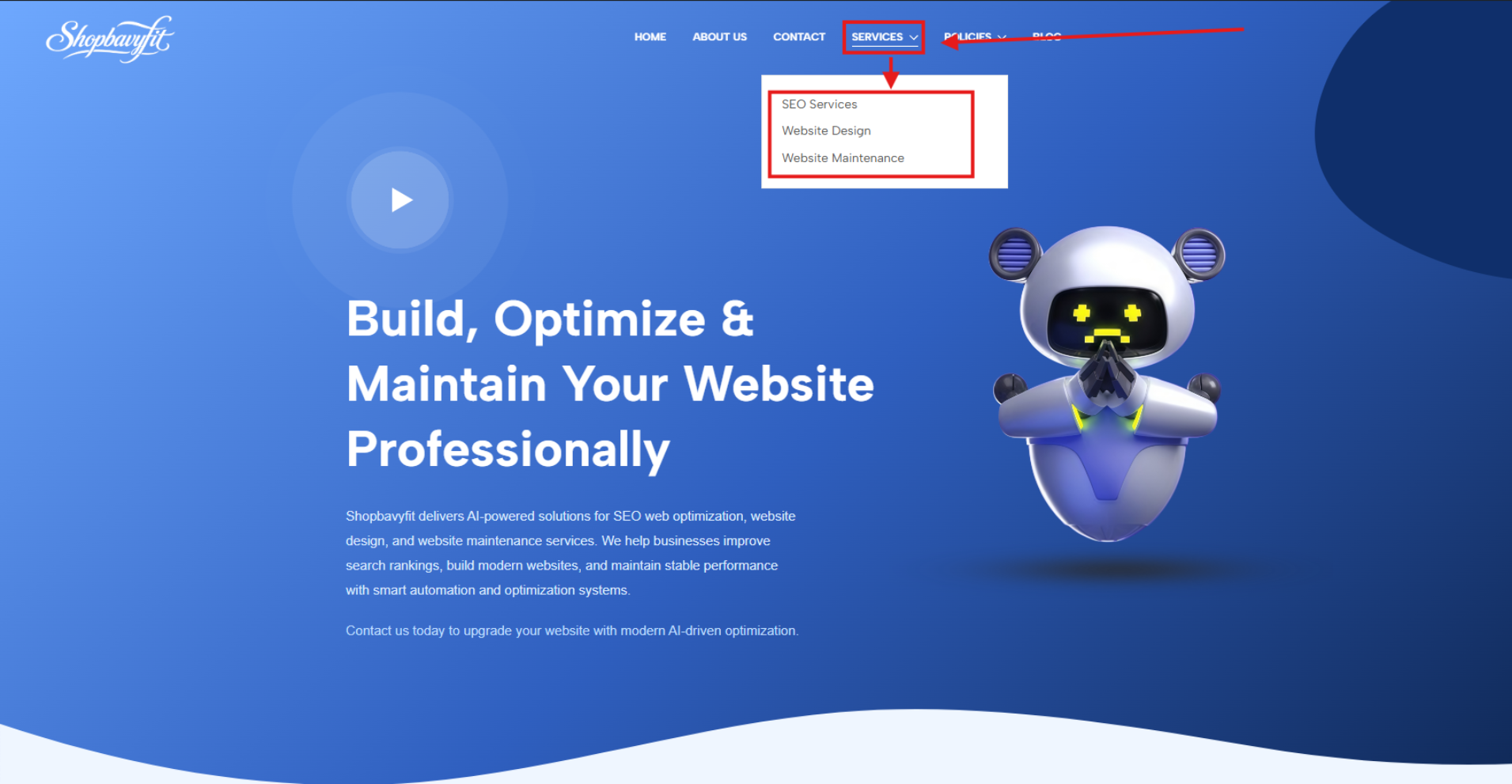
Go to https://shopbavyfit.com. On the homepage, hover over the “Services” menu in the navigation bar. A dropdown list will appear showing all available service categories. Select the service that best fits your needs.
2. Review Service Details
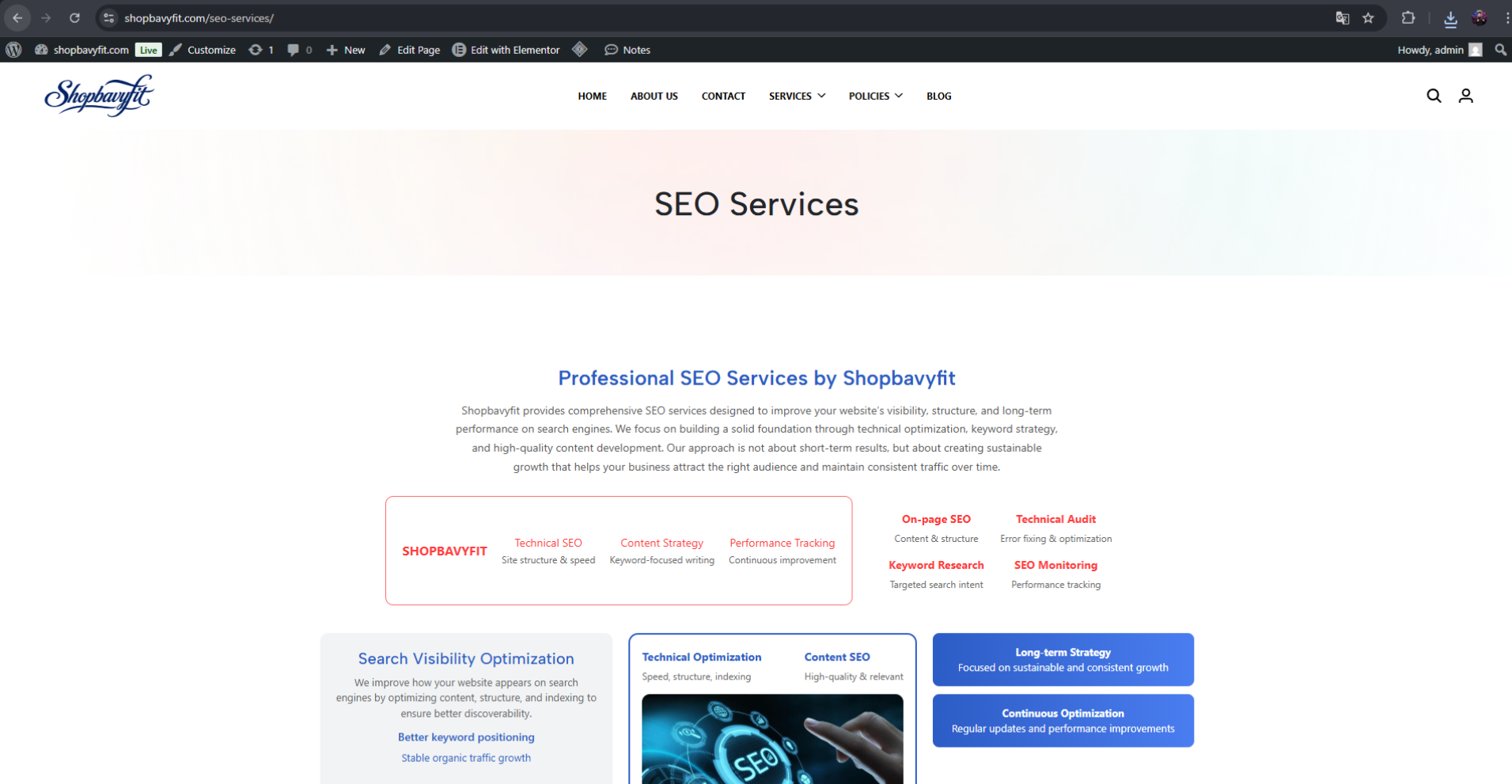
After selecting a service, you will be redirected to the product page. Please carefully read the service description, features, and benefits to fully understand what is included in the package.
3. Choose Your Plan
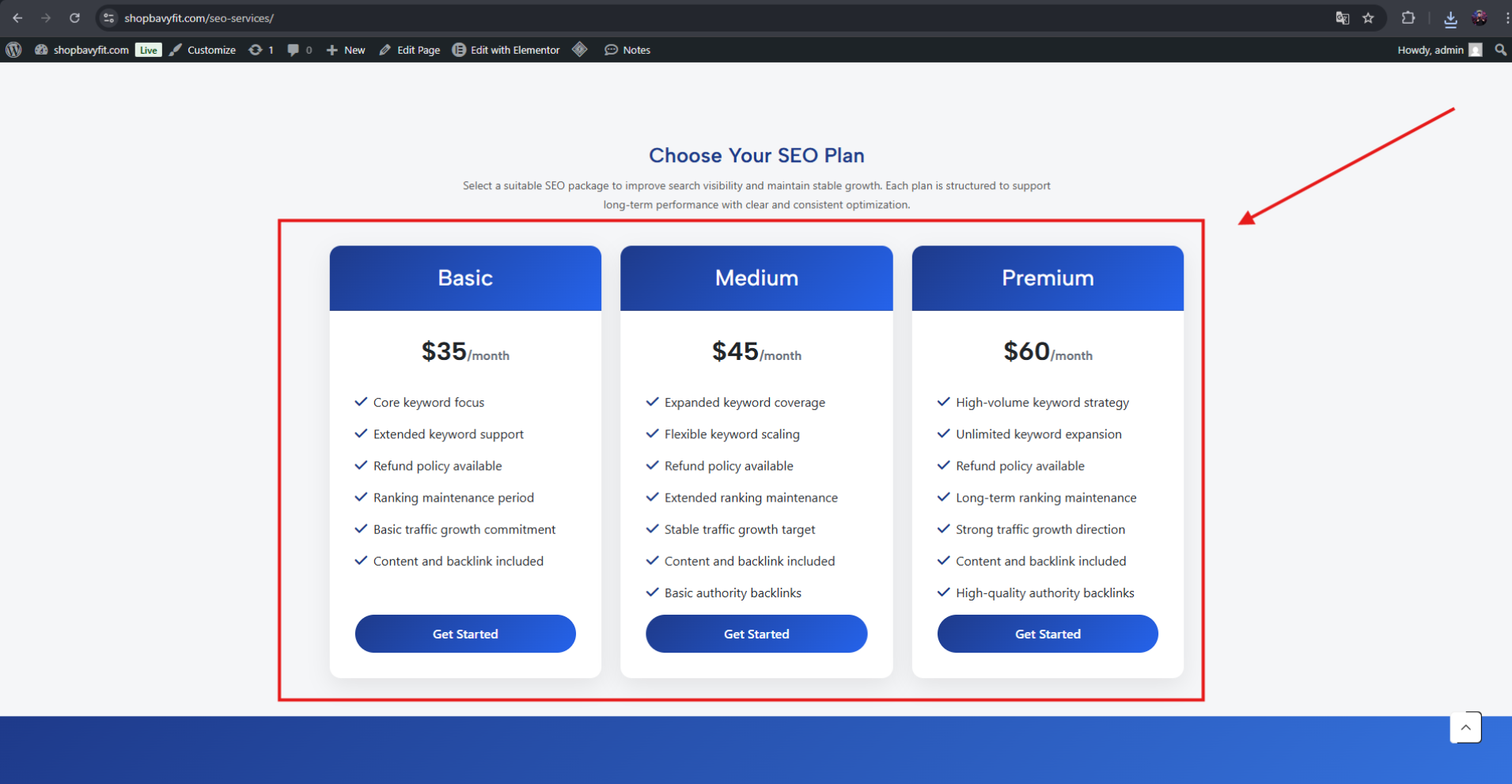
Scroll down to the bottom of the page to view available pricing plans such as Basic, Medium, and Premium. Each plan offers different levels of service and pricing. Please select the package that matches your requirements.
4. Click “Pay Now”
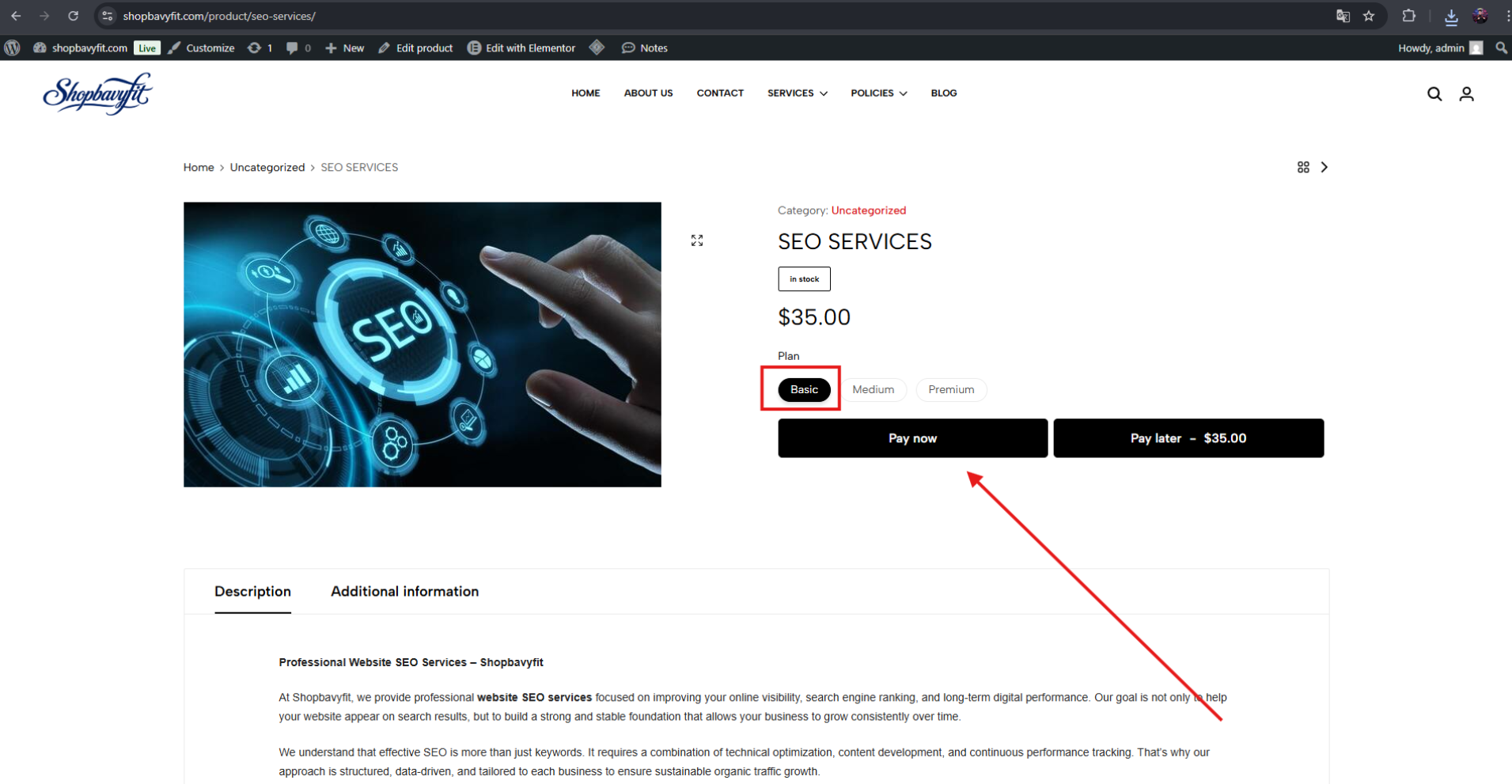
Once you have selected your desired plan, click the “Pay Now” button to proceed immediately to the checkout page and start using the service.
5. Complete Checkout & Payment
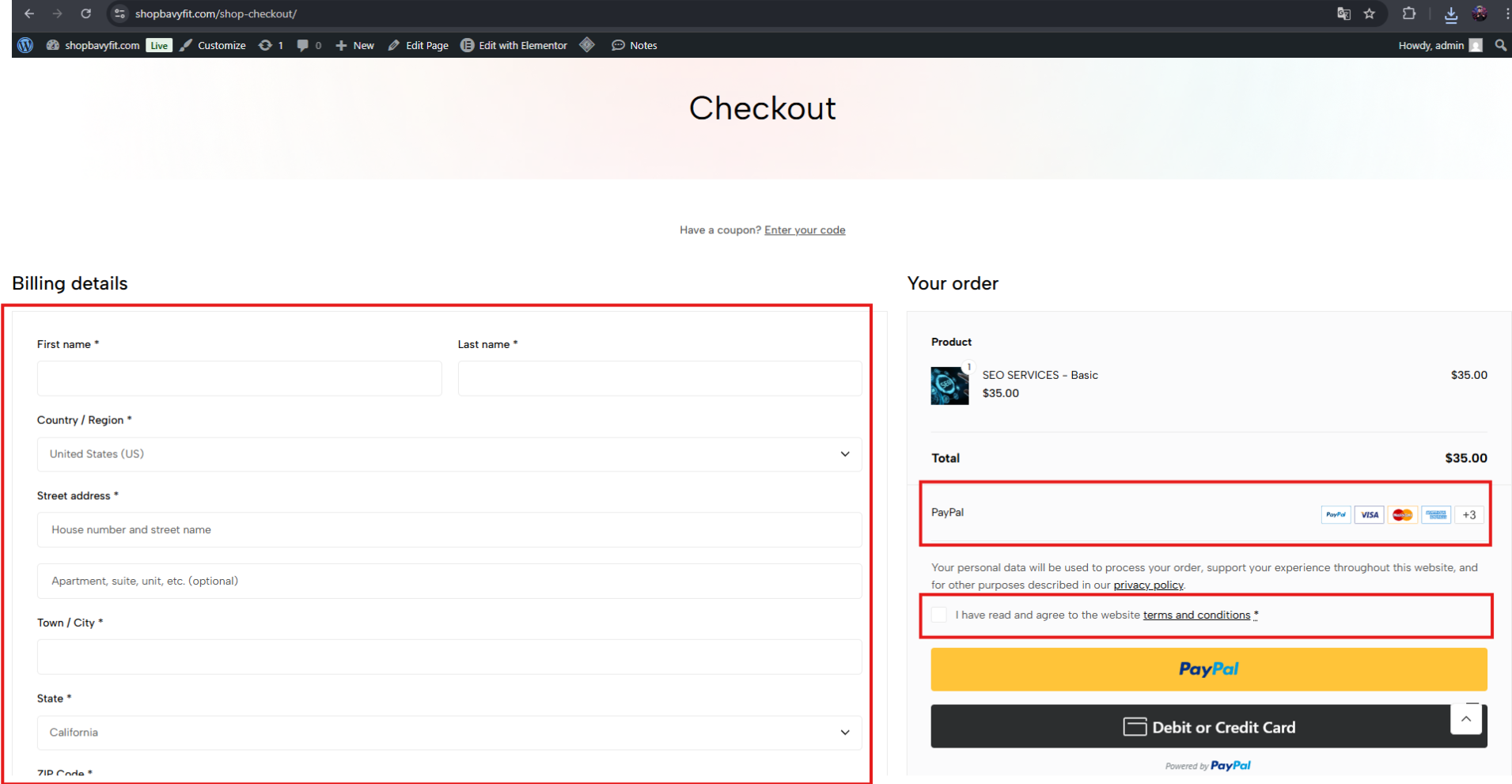
On the checkout page, please fill in all required information accurately. Select your preferred payment method and review your order carefully.
Before completing your purchase, make sure to agree to our Terms & Conditions and Privacy Policy. Finally, confirm your payment to complete the order.
Thank you for choosing Shopbavyfit.
We are committed to delivering reliable, high-quality digital services to support your business growth. We wish you great success and a smooth experience with our services.